Power and Charging Gear for Laptops: Adapters, Power Banks, and USB-C Reality
Power and Charging Gear for Laptops: Adapters, Power Banks, and USB-C Reality
Laptop charging has changed more in the last few years than in the previous decade. What was once a simple combination of a proprietary charger and wall outlet has evolved into a complex ecosystem of USB-C ports, power delivery standards, multi-device chargers, and portable power solutions.
In 2026, misunderstanding laptop charging can lead to slow performance, unstable power delivery, battery degradation, or even hardware damage. This guide explains how modern laptop charging actually works, which power gear is worth using, and where common assumptions break down.
Why Laptop Charging Is No Longer Straightforward
Modern laptops balance performance, portability, and power efficiency. High-performance processors, fast displays, and external peripherals increase power demand, while thinner designs reduce space for large batteries.
As a result, charging systems must manage:
- Variable power draw under load
- Battery health preservation
- Compatibility across chargers and devices
Charging is no longer just about “plugging in.” It directly affects performance stability, battery lifespan, and long-term reliability.
Understanding Laptop Power Requirements
Every laptop has a defined power envelope, measured in watts. Light ultrabooks may require 45–65W, while performance laptops often need 90W, 100W, or more to sustain full speed.
If a charger cannot supply sufficient wattage:
- The laptop may charge slowly or not at all
- Performance may be throttled under load
- Battery may drain even while plugged in
This is why not all chargers — even USB-C chargers — are interchangeable.
USB-C Charging: What Actually Works
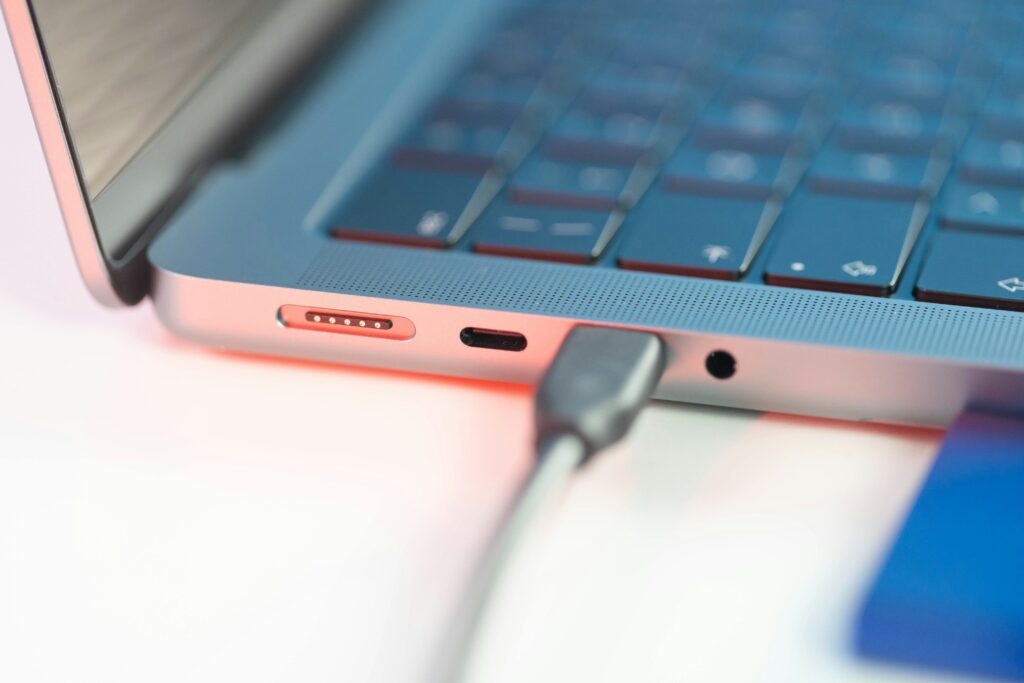
USB-C charging has become the dominant standard, but compatibility depends on USB Power Delivery (USB-PD) support, not the port shape alone.
A USB-C charger works properly only when:
- The laptop supports USB-PD input
- The charger supports the required wattage profile
- The cable is rated for the power level
Low-wattage USB-C chargers may maintain battery level during light use but fail during intensive workloads. USB-C charging is flexible, but it is not universally equal.
Are Third-Party Power Adapters Safe?
High-quality third-party chargers are safe when they meet proper standards. Problems arise when users rely on uncertified or underpowered adapters.
Reliable adapters should provide:
- Correct voltage and current negotiation
- Thermal protection
- Compliance with USB-PD specifications
Poor-quality chargers may cause inconsistent charging, excess heat, or long-term battery stress. Choosing power gear is a safety decision, not just a convenience purchase.
Laptop Power Banks: When They Make Sense
Laptop-compatible power banks have become more practical, especially for travel and mobile work. However, not all power banks are suitable for laptops.
Effective laptop power banks must offer:
- USB-C PD output (usually 65W or higher)
- Adequate capacity for real-world use
- Reliable voltage regulation
Power banks are best viewed as supplemental power, not full replacements for wall chargers. They extend mobility but cannot sustain heavy workloads indefinitely.
Charging While Working: Performance Implications
Many users assume that charging and performance are independent. In reality, power delivery directly affects CPU and GPU behavior.
When charging power is insufficient:
- The system may reduce processing speed
- Battery cycles increase unnecessarily
- Thermal output becomes inconsistent
This is especially relevant for creators, developers, and professionals running sustained workloads. Proper charging ensures consistent system responsiveness.
Battery Health and Charging Habits
Modern laptops use advanced battery management systems, but charging habits still matter. Constant exposure to high temperatures and prolonged full charge levels accelerates battery aging.
Best practices include:
- Avoiding low-quality chargers
- Allowing airflow during charging
- Using adaptive charging features
Charging gear should support battery longevity, not undermine it.
Multi-Port Chargers and Docking Solutions
Many users now rely on a single charger for laptops, phones, and accessories. Multi-port USB-C chargers are efficient when power distribution is handled correctly.
However, shared chargers dynamically allocate power. When multiple devices draw power simultaneously, laptops may receive reduced wattage, affecting performance.
Docking stations with dedicated power delivery often provide more stable charging for desk setups.
What Charging Gear Does Not Improve Performance
Some accessories promise faster charging or better performance but provide little real benefit:
- Magnetic adapters without proper power negotiation
- Passive splitters without power management
- Low-quality cables rated below required wattage
Charging reliability depends on standards compliance, not gimmicks.
Long-Term Impact of Proper Charging Gear
Using correct charging equipment improves:
- Battery lifespan
- Sustained laptop performance
- Thermal stability
- Overall system reliability
Laptop charging should be viewed as part of the core hardware ecosystem, not an afterthought.
Key Takeaways:
Laptop charging in 2026 requires understanding wattage, standards, and compatibility. USB-C charging offers flexibility, but only when supported by proper power delivery profiles and quality hardware.
Power adapters, cables, and power banks directly influence performance stability and battery health. Choosing the right charging gear ensures consistent operation, protects long-term hardware value, and supports modern mobile workflows without compromise.