Apple Unveils New MacBook Pro With M5 Pro and M5 Max Chips: 14″ vs 16″ — Which One Actually Makes Sense?

On 3 March 2026, Apple quietly did what it does best — refined the professional laptop lineup again. There is no flashy redesign or gimmick here; just serious silicon upgrades. The new MacBook Pro M5 models now run on the all-new M5 Pro and M5 Max chips. While on paper it may look like a routine spec bump, the real story is performance headroom — especially for professionals who actually push their machines to the limit daily.
If you’re planning to upgrade to the MacBook Pro M5, here’s what genuinely matters before spending ₹2.5–4.5 lakh on the new MacBook Pro M5.
💰 India Pricing: Retail vs. Education
Apple has maintained its premium positioning for the MacBook Pro M5 series in India. Here is the official 2026 price breakdown:
| Model | Variant | Retail Price | Education Price |
|---|---|---|---|
| 14-inch | M5 Pro | ₹2,49,900 | ₹2,32,900 |
| 14-inch | M5 Max | ₹3,99,900 | ₹3,66,900 |
| 16-inch | M5 Pro | ₹2,99,900 | ₹2,77,900 |
| 16-inch | M5 Max | ₹4,29,900 | ₹3,94,900 |
All models are available in the iconic Space Black and Silver finishes.
Now let’s break down what you’re really paying for…
M5 Pro vs M5 Max — Real Difference, Not Marketing

At a glance, both chips look similar. In reality, they’re built for two different types of professionals. The MacBook Pro M5 series uses a new “Fusion Architecture” that bridges the gap between portability and workstation power.
M5 Pro vs M5 Max — Performance Breakdown
| Category | M5 Pro | M5 Max | Real-World Impact |
|---|---|---|---|
| CPU | Up to 18-core | Up to 18-core | No difference in general computing |
| GPU Cores | Up to 20-core | Up to 40-core | Max can offer roughly double the GPU cores |
| Memory Bandwidth | 307GB/s | Up to 614GB/s | Major difference for 3D / AI / 8K workflows |
| Max Unified Memory | 64GB | 128GB | Max supports extreme multitasking & AI workloads |
| Base Storage | Starts at 1TB | Starts at 2TB | Max starts higher |
| Media Engine | Strong | Dual engines | Faster ProRes & heavy export pipelines |
| External Displays | Up to 3 | Up to 4 | Max better for multi-monitor setups |
| Best For | Developers, editors, creators | 3D, VFX, AI, film production | Workflow-dependent decision |
| Price Jump | Base tier | +₹150K–₹180K approx | Significant financial leap |
The TechularZtrix Verdict: If your income depends on GPU-heavy workloads (VFX, 3D Rendering, or local LLM training), the M5 Max earns its price.
If not—it is a luxury you likely don’t need.
14″ vs 16″ MacBook Pro — The Decision Most Buyers Overthink
This is where real-world usage matters more than raw specifications.
The MacBook Pro M5 experience can feel quite different depending on whether you choose the 14-inch or the 16-inch chassis.
While both machines deliver similar performance on paper, differences in portability, screen size, battery capacity, and cooling affect how the laptop feels during daily work.
Portability
| Feature | 14-inch MacBook Pro | 16-inch MacBook Pro | Real-World Impact |
|---|---|---|---|
| Weight | ~1.6 kg | ~2.14 kg | The 14″ is noticeably easier to carry daily |
| Mobility | Highly portable | Less travel-friendly | Better for commuters and remote workers |
| Bag space | Compact footprint | Larger chassis | May require a bigger laptop bag |
If you travel daily, work from cafe’s, or frequently carry your laptop to meetings, the 14-inch model feels significantly lighter and easier to manage.
The 16-inch MacBook Pro isn’t heavy, but its larger footprint becomes noticeable during long commutes or flights.
Display Experience
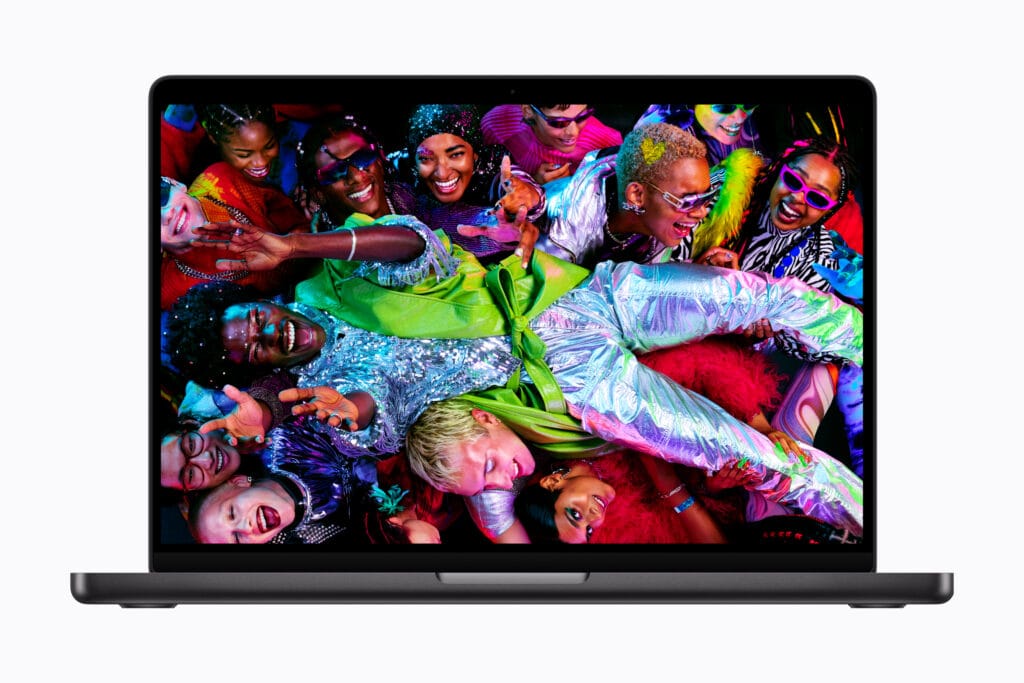
Both models use Apple’s Liquid Retina XDR display, offering:
- ProMotion 120Hz adaptive refresh rate
- 1600 nits peak HDR brightness
- 1,000,000:1 contrast ratio
However, screen size changes how you actually work.
| Feature | 14-inch Model | 16-inch Model | Real-World Impact |
|---|---|---|---|
| Screen Size | Smaller workspace | Larger workspace | Better for multitasking |
| Timeline Editing | More compact | Easier timeline visibility | Preferred for video editors |
| Coding | Dense but tight | More lines visible | Better for long sessions |
| Split-Screen Work | Limited space | Comfortable dual-window use | Productivity advantage |
If you regularly:
- edit long video timelines
- write code for hours
- use split-screen workflows
the 16-inch display feels closer to a portable desktop monitor.
The 14-inch panel remains incredibly sharp, but the workspace is naturally tighter.
Many professionals extend this experience further by connecting external monitors, storage drives, and docks, which is part of building a laptop setup that ages well over time.
Battery Life
| Feature | 14-inch MacBook Pro | 16-inch MacBook Pro | Real-World Impact |
|---|---|---|---|
| Battery Capacity | 72.4Wh | 100Wh | Larger battery in the 16″ |
| Endurance | Excellent | Longer under load | Better for travel and field work |
| Heavy workloads | Slightly shorter runtime | Sustains longer sessions | Useful for creators |
In real-world usage:
- The 14-inch MacBook Pro delivers excellent battery life.
- The 16-inch model lasts longer during sustained workloads like video exports or heavy multitasking.
If you often work unplugged for extended periods, the 16-inch MacBook Pro offers more breathing room.
Thermal Headroom
One factor Apple rarely emphasizes is thermal capacity.
| Feature | 14-inch Model | 16-inch Model | Real-World Impact |
|---|---|---|---|
| Cooling System | Compact thermal design | Larger cooling system | Better sustained performance |
| GPU workloads | Slightly more throttling | More stable under load | Important for creators |
| Sustained performance | Very strong | Even stronger | Useful for long render tasks |
The larger chassis of the 16-inch MacBook Pro dissipates heat more effectively, which can allow the system to maintain peak performance for longer periods.
For users considering the M5 Max, the 16-inch model is often the more practical choice, as GPU-heavy workloads benefit from the additional cooling headroom.
Quick Buying Guide: Who Should Buy Which MacBook Pro M5 in 2026?
Let’s simplify the buying decision. If you’re still unsure, the choice becomes much clearer when you look at how real-world professionals actually use these machines daily.
Choose 14″ MacBook Pro with M5 Pro if
- You travel frequently with your laptop
- You’re a developer, editor, or creative professional
- You want excellent performance without overspending
- You rarely run extremely GPU-heavy workloads
→ This is the best value configuration for most professionals.
Choose 14″ MacBook Pro with M5 Max if
- You want maximum GPU performance
- Portability still matters to you
- Your work includes 3D rendering, graphics, or heavy visual workloads
→ A powerful but niche configuration due to its high price.
Choose 16″ MacBook Pro with M5 Pro if
- You want a larger screen for productivity
- You multitask heavily across applications
- You prefer a desktop-replacement laptop
→ This is one of the most balanced long-term MacBook Pro configurations.
Choose 16″ MacBook Pro with M5 Max if
- You work in 3D, VFX, AI development, or film production
- You run GPU-intensive professional software
- You use multiple high-resolution external displays
- Performance matters more than price
→ This configuration represents Apple’s true mobile workstation.
Storage & Memory — Don’t Overspend Blindly
Important reality:
- 24GB or 36GB RAM is enough for most professionals
- 64GB is future-proof for heavy creators
- 128GB is only justified for very specialized workloads
Many professionals overspend on internal upgrades without realizing how modern workflows combine internal SSDs, external drives, and cloud platforms — something explained clearly in our guide on storage solutions for SSDs, external drives, and cloud storage.
Similarly:
- 1TB is sufficient for many users
- 2TB is comfortable
- 8TB is extremely niche
Upgrade only if your workflow demands it.
The Real-World Buying Psychology
Most buyers walk into this thinking:
“I want the most powerful one.”
But power without a real use-case is wasted money.
This mindset is one reason many professionals still fall into common laptop buying mistakes in 2026, especially when choosing high-end machines.
Here’s the honest truth:
- The M5 Pro already feels insanely fast
- The M5 Max is about scaling GPU workloads, not everyday speed
For around 80% of professionals, the M5 Pro is the smarter buy.
The M5 Max is for the remaining 20% whose workflow justifies it financially.
Final Verdict: Is the MacBook Pro M5 the Ultimate 2026 Choice?
Apple’s MacBook Pro M5 lineup in 2026 is less about flashy changes, surface-level changes and more about selecting the precise level of performance for your specific 2026 budget.
For roughly 80% of professionals, the M5 Pro already delivers exceptional speed and efficiency, making it the ultimate value configuration without pushing the price to an extreme level. It handles everything from Xcode to 4K timelines with a level of “silicon grace” that most users will never fully exhaust.
The M5 Max, while an engineering marvel, is a premium upgrade that only makes financial sense if your daily income depends on heavy GPU workloads—such as 3D rendering, local AI Agent processing, or large-scale 8K video production.
In practical terms, the goal isn’t simply buying the most expensive model; it’s spending ₹2.5–4.5 lakh in a way that actually improves your unique workflow and productivity.
For complete technical specifications and configuration options, you can review the official MacBook Pro details on Apple’s website.