Windows vs macOS in 2026: Performance, Security, and Productivity Compared
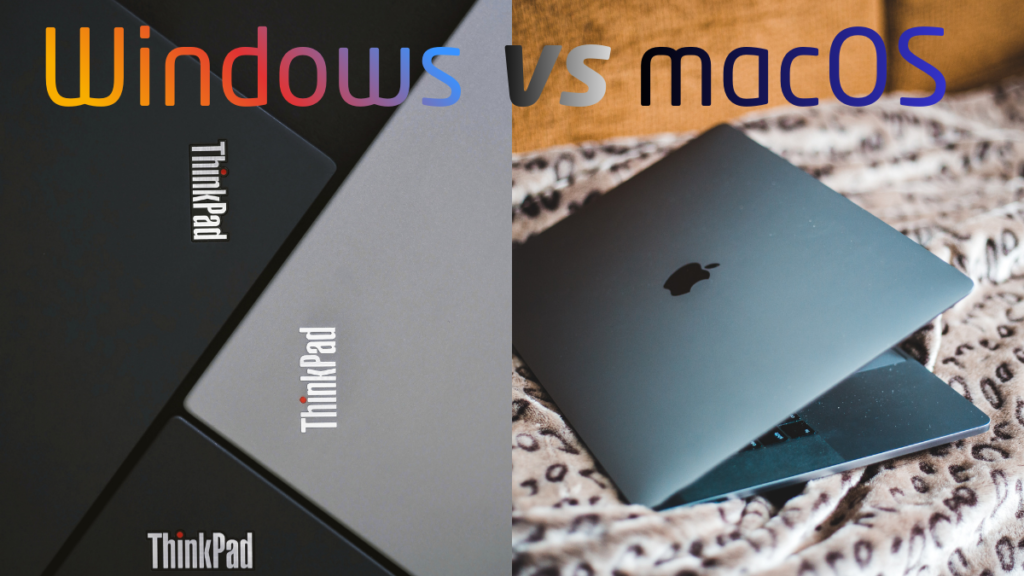
The Windows vs macOS debate has existed for decades, but in 2026 the comparison is no longer about brand loyalty—it is about performance efficiency, security architecture, and real productivity outcomes. As Apple continues refining its silicon-based ecosystem and Microsoft evolves Windows for hybrid CPUs and AI-assisted workflows, users are faced with a more nuanced decision than ever before.
This article provides a practical, real-world comparison of Windows vs macOS in 2026, focusing on how each platform performs in daily use, professional workloads, security management, and long-term productivity—without marketing bias.
Windows vs macOS in 2026: Core Platform Philosophy
At a foundational level, Windows and macOS are built around different priorities.
Windows Platform Approach
Windows prioritizes:
- Hardware diversity
- Backward compatibility
- Customization and flexibility
- Broad enterprise and gaming support
This makes Windows adaptable across thousands of device configurations, from budget laptops to high-end workstations.
macOS Platform Approach
macOS prioritizes:
- Tight hardware–software integration
- Power efficiency
- System stability
- Controlled ecosystem design
Apple’s vertical integration allows macOS to optimize performance at the silicon level, but limits hardware choice.
These philosophical differences shape every performance and productivity outcome discussed below.
Performance Comparison: Windows vs macOS in Real Use
Raw Performance and Scalability
In 2026, Windows systems still dominate in:
- Multi-core scalability
- High-end GPU workloads
- Expandable memory and storage
Professionals working in 3D rendering, engineering simulations, and large-scale data processing benefit from Windows’ hardware flexibility.
macOS, on the other hand, excels in:
- Performance per watt
- Thermal efficiency
- Silent sustained workloads
Apple silicon delivers consistent performance without aggressive cooling, making macOS systems ideal for mobile professionals.
Application Optimization
macOS benefits from:
- Highly optimized native applications
- Predictable performance across devices
Windows benefits from:
- Broader software availability
- Better legacy and niche tool support
In performance terms, Windows vs macOS is no longer about speed alone, but about workload suitability.
Productivity Experience: Windows vs macOS in 2026
Multitasking and Workflow Management
Windows offers:
- Advanced window snapping
- Multi-monitor flexibility
- Deeper file system access
macOS offers:
- Smooth app transitions
- Strong trackpad-driven navigation
- Focused single-task efficiency
For users managing multiple applications simultaneously, Windows retains a productivity edge.
Professional Software Ecosystem
Windows remains dominant for:
- Engineering and CAD
- Enterprise software
- High-end gaming
- Specialized industry tools
macOS excels in:
- Creative workflows
- Media production
- Development environments optimized for Unix-based systems
The productivity gap is not about capability, but toolchain alignment.
Security Architecture: Windows vs macOS
macOS Security Model
macOS emphasizes:
- Strict application sandboxing
- Mandatory code signing
- Limited system-level access
This design reduces malware exposure but restricts low-level customization.
Windows Security Model
Windows emphasizes:
- Enterprise-grade security controls
- Advanced permission management
- Broad antivirus and endpoint protection support
Windows’ flexibility introduces more attack surface but also allows deeper administrative control.
According to platform security documentation published by Microsoft, Windows security architecture focuses heavily on layered defenses and enterprise risk management →
https://learn.microsoft.com/security
Apple’s macOS security model similarly centers on hardware-backed protections and system integrity enforcement →
https://support.apple.com/guide/security
Both systems are secure in 2026—the difference lies in control versus restriction.
Hardware Compatibility and Ecosystem Lock-In
Windows Hardware Freedom
Windows supports:
- Thousands of device models
- Upgradable components
- Custom-built systems
This freedom is ideal for users who want control over cost, performance, and longevity.
macOS Hardware Integration
macOS runs exclusively on Apple hardware, offering:
- Predictable performance
- Optimized battery life
- Long-term OS support
However, limited upgradeability increases long-term cost for some users.
This mirrors broader device-efficiency discussions seen in Best Laptop vs Desktop in 2026: Smart Performance for Real Users, where flexibility and integration lead to very different ownership experiences.
Gaming and Graphics Performance
Windows Advantage
Windows remains the clear leader for:
- PC gaming
- GPU driver support
- Game engine compatibility
DirectX optimization and broad GPU support make Windows the default choice for gamers.
macOS Reality
macOS gaming has improved but remains limited by:
- Smaller game library
- Limited native GPU support
For gaming-focused users, the Windows vs macOS decision is effectively settled.
AI Integration and Future Direction
In 2026, both platforms integrate AI deeply—but differently.
Windows AI Strategy
Windows focuses on:
- AI-assisted productivity tools
- Cloud + local AI workloads
- Enterprise AI integration
macOS AI Strategy
macOS focuses on:
- On-device AI processing
- Privacy-preserving inference
- Performance efficiency
This reflects Apple’s broader privacy-focused tech vs convenience tech philosophy, where automation is balanced against user data control.
Long-Term Ownership and Value
Windows Long-Term Value
- Lower entry cost
- Upgrade flexibility
- Broader resale and reuse options
macOS Long-Term Value
- Higher upfront cost
- Longer OS support lifespan
- Strong resale value
Long-term value depends less on the OS and more on how users upgrade and replace hardware.
Key Takeaways: Which Is Better in 2026?
There is no universal winner in the Windows vs macOS in 2026 comparison.
- Choose Windows if you need flexibility, gaming, enterprise tools, or hardware customization.
- Choose macOS if you prioritize efficiency, creative workflows, and tightly integrated hardware.
The best platform is the one that aligns with your actual workload, not perceived brand superiority.
In 2026, Windows and macOS are not competing for dominance—they are serving different productivity philosophies.