Input Devices That Matter: Keyboards, Mice, and Why Built-In Isn’t Always Best
Input Devices That Matter: Keyboards, Mice, and Why Built-In Isn’t Always Best
Laptop input devices are among the most underestimated components of modern computing. While processors and displays dominate buying decisions, the keyboard and pointing device determine how comfortably and accurately users interact with a laptop every day.
In 2026, laptops are powerful enough for demanding work, but their built-in input devices are still constrained by thin designs and portability goals. Understanding when built-in keyboards and trackpads are sufficient—and when external devices provide meaningful advantages—helps users build healthier, more productive workflows.
Why Input Devices Deserve More Attention?
Input devices are the primary interface between the user and the machine. Poor input ergonomics lead to fatigue, reduced accuracy, and long-term strain injuries.
They directly affect:
- Typing speed and accuracy
- Cursor precision
- Wrist and shoulder posture
- Long-term comfort
Even small design compromises become significant over hours of daily use.
Built-In Laptop Keyboards: Designed for Portability, Not Perfection
Laptop keyboards have improved, but they remain limited by form factor. Shallow key travel, compact layouts, and reduced spacing are trade-offs made to keep devices thin and lightweight.
Common limitations include:
- Reduced tactile feedback
- Inconsistent key spacing
- Limited adjustability
For short sessions, these constraints are acceptable. Over extended workdays, they often become a source of discomfort.
External Keyboards Offer Consistency and Control
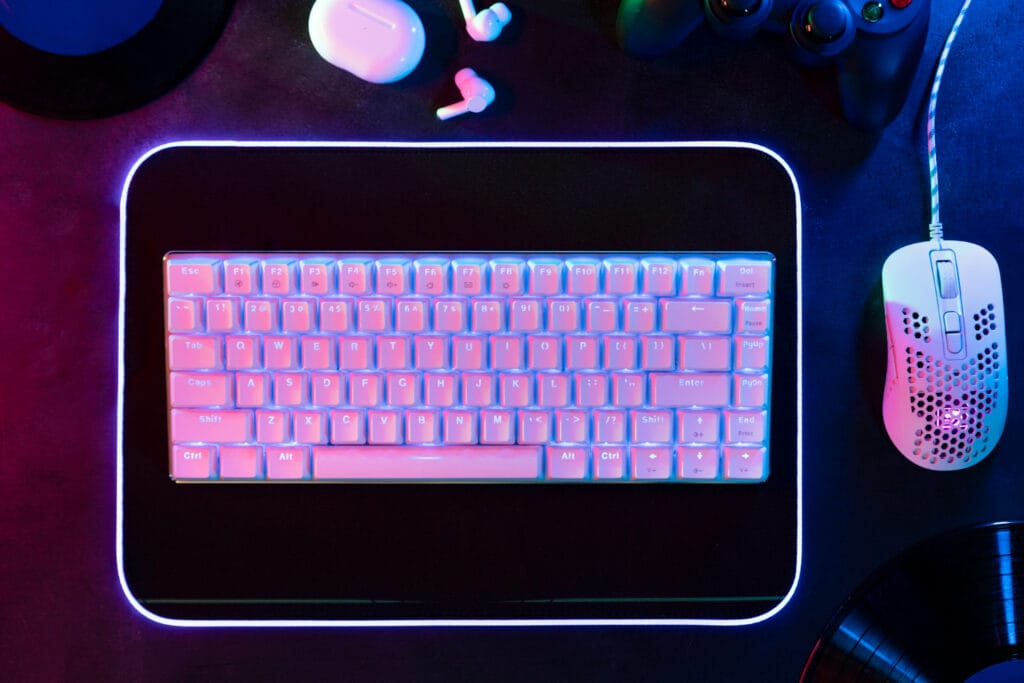
External keyboards are not about luxury; they are about mechanical consistency and ergonomic alignment. Full-size layouts, proper key spacing, and adjustable positioning significantly reduce strain.
Advantages include:
- Better typing accuracy
- Reduced finger fatigue
- Improved wrist posture
Users who write, code, or work extensively with text benefit most from external keyboards.
Mechanical vs Membrane Keyboards in Real Workflows
Keyboard technology matters less than marketing suggests, but some distinctions are meaningful.
- Mechanical keyboards offer clearer actuation feedback and durability
- Membrane keyboards are quieter and often more compact
The best choice depends on environment, typing volume, and personal comfort rather than hype.
Laptop Trackpads vs External Mice
Modern trackpads are excellent for casual navigation, but they cannot fully replace a mouse for precision work.
Trackpads are limited by:
- Surface area
- Gesture dependency
- Reduced accuracy under fatigue
External mice provide finer control, particularly for tasks requiring speed and precision.
External Mice Improve Accuracy and Reduce Strain
An external mouse allows the hand to rest in a neutral position and offers greater control over cursor movement.
Benefits include:
- Improved pointing accuracy
- Reduced wrist deviation
- Better support for long sessions
This is especially important for users working with spreadsheets, design tools, or data-heavy interfaces.
Ergonomics: The Hidden Performance Factor
Ergonomics is not about comfort alone; it directly impacts productivity and long-term health. Poor posture and repetitive strain often originate from suboptimal input devices.
Well-chosen input devices help maintain:
- Neutral wrist alignment
- Relaxed shoulder positioning
- Consistent hand movement
Over time, these factors prevent fatigue and reduce injury risk.
visit: ➡️https://www.osha.gov/ergonomics
Wireless vs Wired Input Devices
Wireless input devices offer flexibility and cleaner desk setups, while wired devices provide consistent performance without battery concerns.
Key considerations include:
- Latency sensitivity
- Battery management
- Desk mobility
For most professional workflows in 2026, modern wireless devices are reliable enough for daily use.
Why Built-In Is Still Useful?
Built-in input devices are not obsolete. They remain essential for:
- Travel
- Short sessions
- Emergency use
However, they should be viewed as baseline tools, not optimal long-term solutions.
Choosing the Right Input Setup
The most effective setups are modular. Users should treat laptops as core systems that improve with external tools.
A balanced setup includes:
- Built-in input devices for mobility
- External keyboard and mouse for extended work
This approach preserves portability while supporting comfort and precision.
Key Takeaways:
Laptop input devices directly influence productivity, comfort, and long-term health. Built-in keyboards and trackpads are designed for portability, not extended ergonomic use.
External keyboards and mice provide superior control, consistency, and posture support for sustained work. In 2026, optimizing input devices is one of the most effective ways to improve daily computing experience without upgrading the laptop itself.