Smartphone Storage Performance: How It Really Affects Your Device in 2026
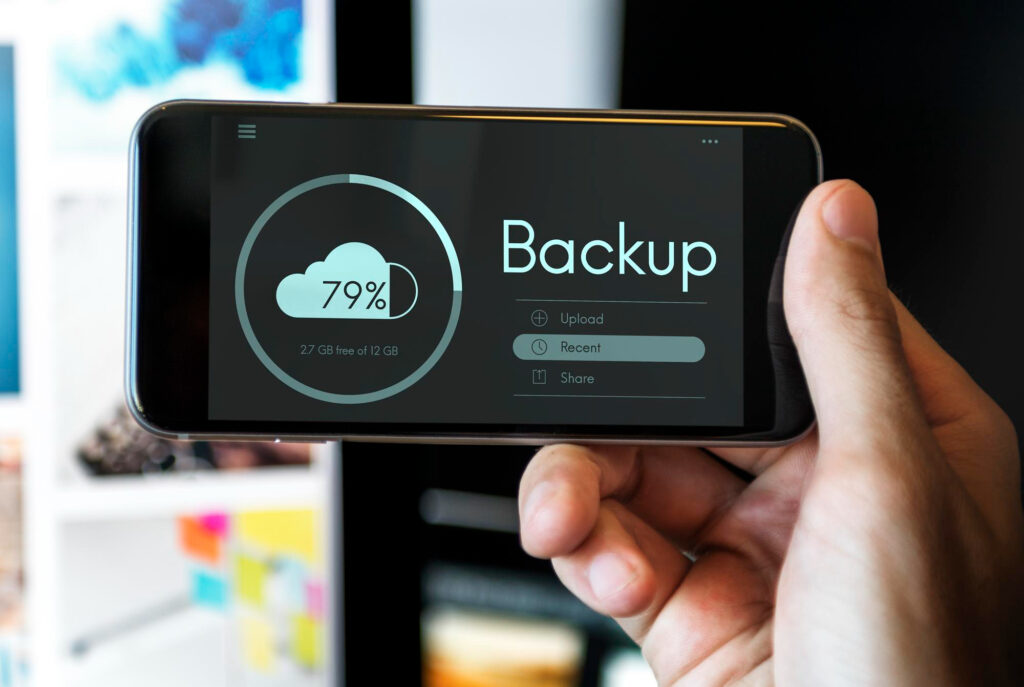
Smartphone storage performance plays a pivotal role in the overall experience of a modern mobile device. While many users focus on storage capacity — 128GB, 256GB, or 1TB — the underlying speed, type, and efficiency of storage often have a greater impact on multitasking, app responsiveness, and daily usability. In 2026, understanding storage behavior is essential for choosing a device that performs reliably over time.
Many users mistakenly assume that more gigabytes automatically means faster performance. The reality is more complex: storage type, read/write speed, operating system optimization, and even app design all influence how quickly and smoothly a smartphone operates. This article explores the factors that define smartphone storage performance and provides actionable insights for users seeking long-term efficiency.
How Storage Types Affect Speed
Smartphone storage is no longer just about gigabytes; the type of storage dramatically influences device performance. Common storage standards in 2026 include:
- eMMC (Embedded MultiMediaCard) – an older standard used in entry-level phones, which is cost-effective but slower in read/write operations.
- UFS (Universal Flash Storage) – the modern standard in mid-to-high-end devices, offering significantly higher sequential read/write speeds and improved random access.
- NVMe (Non-Volatile Memory Express) – top-tier storage in flagship smartphones, delivering near-instant app launches and rapid file transfers, especially for high-performance multitasking.
Faster storage ensures smoother app launches, quicker data access, and reduced lag, even on devices with lower RAM. Conversely, phones with slower storage, such as eMMC, can bottleneck the CPU and memory, causing delays even if the processor is powerful.
The impact of storage type is particularly noticeable in devices handling large files or complex applications, such as video editing, AI-enhanced photo processing, or augmented reality (AR) apps. UFS storage standards.
Impact on Multitasking and App Responsiveness
The way storage operates directly affects how efficiently a smartphone handles multiple apps. Smartphone storage performance influences app responsiveness, background process management, and overall fluidity.

Slower storage can lead to:
- Delayed app launches
- Jittery animations and scrolling
- Reduced speed in high-demand apps like gaming or creative software
- Slower background data syncing and notifications
Modern smartphones leverage UFS 4.0 and NVMe storage to maintain smooth operation, even under heavy multitasking. This ensures that users can switch between multiple applications, stream media, and process data-heavy tasks without experiencing lag or stutters.
Understanding smartphone buying decisions now requires evaluating storage performance alongside RAM, processor specifications, and OS optimization.
Efficient storage management also reduces energy consumption, indirectly enhancing battery life, since less CPU time is wasted waiting on slow storage operations.
Why Storage Optimization Matters
Even with high-speed storage, poor software management can degrade performance over time. Operating systems like Android 14 and iOS 17 incorporate advanced storage optimization tools, which manage cache, background processes, and file organization.
Key factors affecting storage optimization include:
- Fragmentation: As files are stored and deleted, storage blocks become fragmented, slowing read/write speeds.
- Cache buildup: Apps accumulate temporary files, which can consume bandwidth and reduce performance if left unmanaged.
- Adaptive storage allocation: Modern OS algorithms prioritize frequently used apps and data for faster access, enhancing everyday responsiveness.
Phones that combine fast storage types with robust software optimization maintain long-term smartphone storage performance, even under heavy usage scenarios. Android storage optimization guide
Practical Tips to Maximize Storage Performance
Users can take several steps to maintain optimal smartphone storage performance:
- Enable automatic cache cleaning and background app management
- Avoid overfilling storage beyond 80–85% capacity
- Prefer cloud storage or SD card options for media while keeping system storage free for apps and OS operations
- Choose devices with UFS or NVMe storage for long-term reliability
- Regularly update the operating system to benefit from efficiency improvements
Comparing Android vs iPhone storage management reveals how software design influences performance, even on devices with similar hardware.
Following these practices ensures devices continue performing smoothly for several years, avoiding the slowdown commonly associated with aging storage systems.
How Storage Affects High-Performance Applications
Beyond everyday apps, storage speed has a significant impact on high-performance tasks:
- Gaming: Fast read/write speeds reduce loading times for large textures and assets, improving frame consistency.
- Video editing and AI apps: Efficient storage enables faster rendering and smoother real-time previews.
- Augmented Reality (AR): AR apps rely on rapid data streaming and caching, making storage a performance bottleneck on slower devices.
Even devices with top-tier CPUs can feel sluggish if paired with slow storage. Understanding smartphone storage performance is therefore essential for anyone who uses their device intensively, whether for professional or creative purposes.
Key Takeaways:
- Smartphone storage performance is as important as storage capacity.
- Storage type (eMMC, UFS, NVMe) directly affects app speed, multitasking, and daily responsiveness.
- Software-level optimization is critical to maintaining long-term performance.
- Proper storage habits — avoiding overfilling, using cloud/SD storage, and keeping apps updated — preserve efficiency.
- Evaluating storage performance alongside RAM, CPU, and OS behavior leads to better smartphone buying decisions in 2026.