Why Fast Charging Slows Down Above 80%: The Hidden Battery Math Explained (2026 Guide)
Quick Highlights
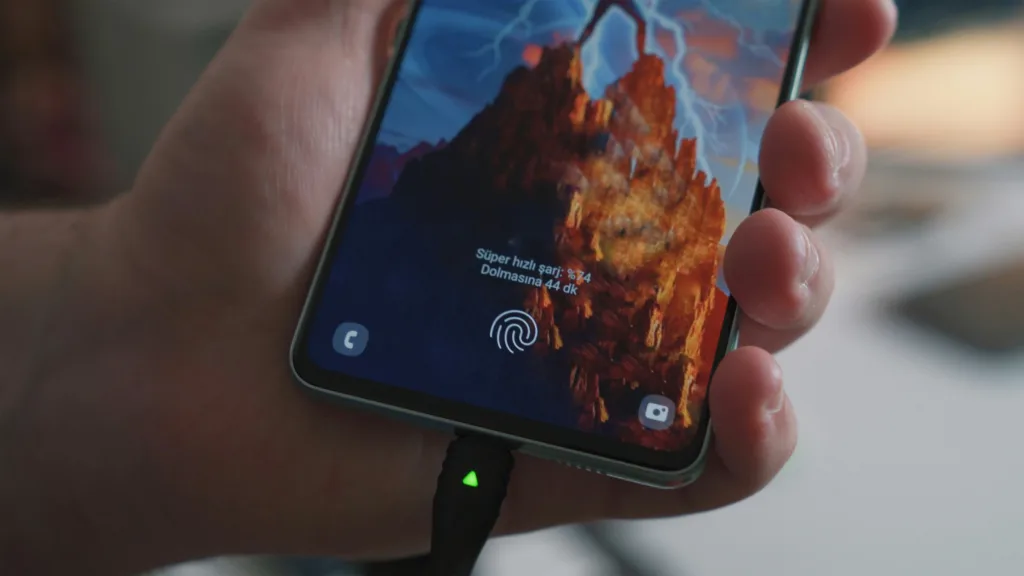
One of the most common questions smartphone users ask is why a phone that charges from 20% to 80% in just 20 or 30 minutes suddenly takes another 20 or 30 minutes to finish the last 20%.
Many people assume their charger is faulty or that fast charging has stopped working.
In reality, this slowdown is completely intentional.
Whether you’re using a 45W, 67W, 80W, 100W, or even 240W charger, virtually every modern smartphone follows the same charging principle. As the battery approaches full capacity, the phone deliberately reduces charging speed to minimize heat, prevent excessive voltage stress, and extend battery lifespan.
Understanding this charging curve helps explain why slower charging near full capacity is actually a sign that your phone is protecting itself.
The Two Stages of Fast Charging
Modern smartphones do not charge at maximum speed from 0% to 100%.
Instead, charging happens in two distinct phases.
During the first stage, known as the Constant Current (CC) phase, the charger delivers high current to rapidly increase battery capacity. This is why charging between roughly 20% and 80% feels incredibly fast.
Once the battery reaches approximately 80%, Android and iPhone devices gradually transition into the Constant Voltage (CV) phase.
Instead of increasing battery voltage further, the phone keeps voltage stable while reducing current. This controlled reduction slows charging considerably but dramatically reduces stress on the battery cells.
That final 20% therefore takes much longer than the first 60%.
Why Batteries Need This Slowdown
Lithium-ion batteries become increasingly sensitive as they approach full charge.
Higher battery voltage creates:
- Greater chemical stress
- Higher internal temperature
- Faster long-term battery degradation
Charging at full speed beyond 80% would expose the cells to significantly more heat and wear.
By reducing charging current, manufacturers help:
- Lower battery temperature
- Improve long-term capacity retention
- Reduce internal resistance
- Prevent unnecessary chemical aging
Although waiting longer for the final percentage may feel inconvenient, this strategy helps batteries maintain usable capacity for hundreds of additional charging cycles.
What the Battery Management System (BMS) Does
Every modern smartphone includes a Battery Management System, commonly called the BMS.
The BMS constantly monitors:
- Battery temperature
- Charging voltage
- Charging current
- Cell balance
- Overall battery health
Rather than allowing the charger to deliver maximum power continuously, the BMS dynamically adjusts charging speed based on real-time battery conditions.
If the phone becomes warm, the BMS reduces charging current even earlier than usual.
This intelligent control is one of the biggest reasons modern fast charging is much safer than early implementations from several years ago.
Heat Is the Biggest Enemy
Heat is far more damaging to batteries than charging speed alone.
Even a 120W charger can be relatively safe if battery temperatures remain under control.
Problems begin when:
- Charging in direct sunlight
- Playing games while charging
- Recording long 4K videos
- Using GPS navigation continuously
- Keeping thick insulating cases on during charging
These activities increase internal temperature, forcing the BMS to slow charging even further.
If your phone feels unusually warm while charging, our guide Why Your Phone Battery Drains Overnight (Android Fix, 2026) also explains how background activity and thermal management affect battery performance beyond charging alone.
Does This Apply to Silicon-Carbon Batteries?
Yes.
Silicon-carbon batteries have significantly improved energy density compared to traditional lithium-ion cells, allowing manufacturers to fit much larger batteries into thinner phones.
However, they still follow similar charging principles.
Even phones featuring 6,500mAh, 7,000mAh, or larger silicon-carbon batteries reduce charging speed as they approach full capacity.
The chemistry has improved, but careful voltage management remains essential for long-term durability.
Is It Better to Stop Charging at 80%?
For many users, yes.
If your daily routine allows it, charging only to around 80% can reduce battery wear over the long term.
This is especially useful if:
- You spend most of the day near a charger
- You charge multiple times daily
- You plan to keep your phone for several years
However, there’s nothing wrong with charging to 100% when you genuinely need maximum battery life for travel or long workdays.
Modern phones are designed to handle full charging safely.
Practical Tips for Faster and Healthier Charging
Instead of worrying about the slowdown itself, focus on reducing unnecessary battery stress.
For best results:
- Use the original charger whenever possible.
- Avoid charging in hot environments.
- Remove thick protective cases if the phone becomes unusually warm.
- Avoid heavy gaming while charging.
- Keep your phone updated because manufacturers frequently improve charging algorithms.
If you’re also trying to extend overall battery lifespan, our guide Powerful Fixes for Android Battery Drain After the Latest Update (2026 Guide) explains additional software settings that reduce unnecessary battery wear.
Likewise, How to Check Battery Health on Android in 2026 (Samsung, OnePlus, Xiaomi, Pixel, Realme) can help you monitor whether your battery is aging normally over time.
Does Slower Charging Mean Something Is Wrong?
Usually not.
A slowdown after approximately 80% is expected behaviour.
You should only become concerned if:
- Fast charging never activates at low battery levels.
- Charging speed remains unusually slow below 50%.
- The phone overheats excessively.
- Battery percentage jumps unpredictably.
- Charging repeatedly disconnects and reconnects.
Those symptoms may indicate a charger, cable, USB port, or battery problem rather than normal charging behavior.
For official battery care recommendations, users can also visit Android Help Center.
⚡ TechularZtrix Scan
📌 Bottom Line: Fast charging slows above 80% because your phone intentionally protects its battery from unnecessary voltage and heat stress—not because the charger has stopped working.
⏱ Difficulty Level: Easy
⌛ Time Required: 5 minutes to understand, years of benefit for battery longevity.
✅ Best For: Smartphone users curious about charging behaviour, battery health, and maximizing long-term battery lifespan.
🏆 Biggest Win: Understanding the charging curve helps users stop worrying about normal charging behaviour while adopting habits that preserve battery health.
⚠️ Biggest Compromise: Charging from 80% to 100% will always be slower than earlier charging stages because safety takes priority over speed.
📈 Why It Matters: Modern smartphones rely on intelligent charging algorithms rather than maximum wattage alone. Knowing how they work helps users charge more efficiently while reducing unnecessary battery degradation.
🔍 Our Recommendation: For everyday use, charging between 20% and 80% offers the best balance between charging speed and long-term battery health. Charge to 100% only when you truly need the extra endurance.