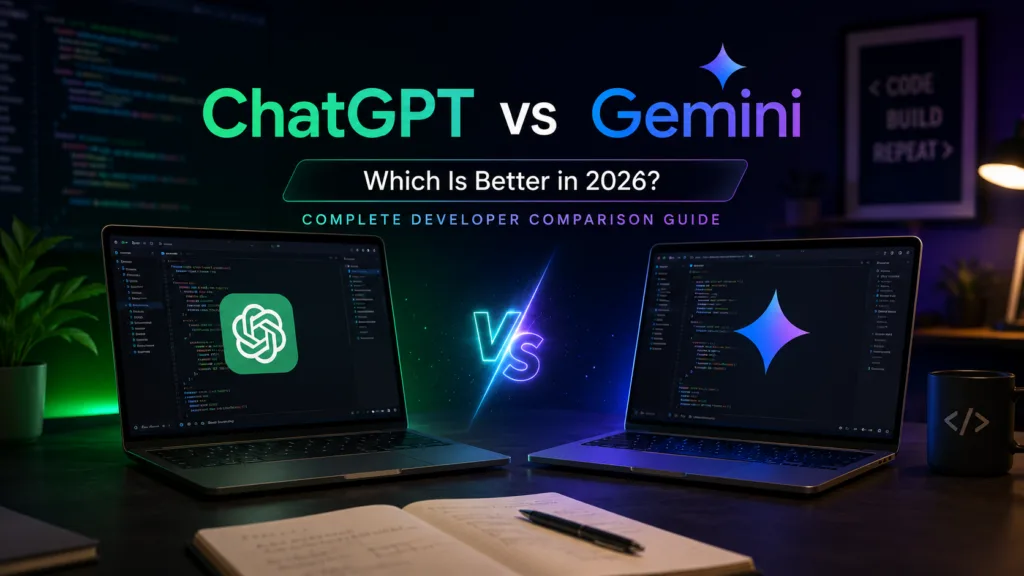
ChatGPT vs Gemini for Coding: Which Is Better in 2026?
AI coding assistants have become essential tools for developers, students, and engineers in 2026. From writing functions to debugging complex applications, both ChatGPT and Gemini are widely used across modern development workflows.
TechularZtrixEDITORIAL DESK · UPDATED
ON THIS PAGE · 6 SECTIONS
Quick Highlights & Key Takeaways
ChatGPT delivers stronger explanations and cleaner coding guidance for beginners and intermediate developers
Gemini excels at analysing large codebases thanks to its massive context window
Gemini integrates real-time Google Search for updated libraries and API references
ChatGPT is often preferred for step-by-step debugging and structured learning
Both tools are highly capable for everyday coding tasks in 2026
The right choice depends on whether you value teaching quality or large-project handling
AI coding assistants have become essential tools for developers, students, and engineers in 2026. From writing functions to debugging complex applications, both ChatGPT and Gemini are widely used across modern development workflows.
However, choosing between them is not about which one is “better overall” — it is about which one fits your specific coding style and project size.
For most developers, the comparison comes down to two major players: ChatGPTand Gemini.
If you are completely new to AI tools, it helps to first understand how modern assistants work in practice. A useful starting point is How to Use Gemini AI for Daily Tasks (Beginner Guide, 2026), which explains how conversational AI behaves in real-world use cases.
ChatGPT vs Gemini: Quick Comparison Table
Comparison at a glance
2 OPTIONS · 7 SPECS COMPARED
Feature
ChatGPT
Gemini
Code Generation
Strong and consistent
Strong for most tasks
Debugging Ability
Excellent for focused errors
Strong across large projects
Explanation Quality
Very clear and beginner-friendly
Good but slightly less structured
Large Codebase Handling
Limited by smaller context
Excellent with very large context
Real-Time Web Data
Available in some modes
Strong native integration
Learning Support
Excellent for step-by-step learning
Good for general explanations
Best Use Case
Learning + debugging
Large project analysis
This comparison shows that both tools are strong, but they shine in different scenarios.
Context Window — Gemini’s Biggest Advantage
The most significant technical difference between the two tools is how much code they can process at once.
Gemini supports a much larger context window, which allows it to analyse entire projects, multiple files, and long documentation sets in a single session.
This is especially useful when working with:
Large frontend-backend projects
Multi-file React or Node.js applications
Android or Flutter codebases
University-level software engineering projects
Instead of splitting your project into multiple conversations, Gemini can often process everything together and answer questions based on the full structure.
For smaller scripts or learning exercises, this advantage is less important.
Code Quality and Learning Experience
ChatGPT is widely regarded as the stronger tool for learning programming concepts.
It tends to:
Break logic into clear steps
Explain why code works or fails
Provide structured debugging suggestions
Offer beginner-friendly explanations
This makes it especially useful for students learning Python, JavaScript, Java, or data structures.
Gemini also performs well for coding tasks, but its strength leans more toward context-heavy analysis rather than teaching-style explanations.
Programming is constantly changing — frameworks update, APIs evolve, and libraries deprecate old methods.
Gemini’s integration with Google Search allows it to pull in more up-to-date information when needed, especially for:
Latest framework versions
New API documentation
Recent library updates
Breaking changes in tools
This makes Gemini particularly useful when you are working with fast-moving technologies.
ChatGPT can also access updated information in supported modes, but Gemini’s integration is often more seamless for real-time lookup.
Debugging Experience
Both tools handle debugging well, but their approach differs.
ChatGPT is often better when:
You paste a small function or snippet
You want a clear explanation of the error
You need step-by-step reasoning
Gemini is more effective when:
The bug spans multiple files
The issue involves architecture or structure
You are analysing an entire project at once
This makes ChatGPT feel more like a coding tutor, while Gemini behaves more like a systems-level analyst.
When Each Tool Performs Best
Instead of choosing one, most developers actually switch between both depending on the task.
Use ChatGPT for learning, debugging, and writing clean functions
Use Gemini for analysing large codebases and checking real-time documentation
Use both together for complex development workflows
TECHULARZTRIX SCANDIAGNOSTIC MATRIX
Bottom Line
ChatGPT is the stronger coding teacher, while Gemini is the stronger large-project analyser.
Best For
Students learning programming, developers debugging code, engineers managing large repositories, and creators building technical projects.
Biggest Win (ChatGPT)
Clear explanations, structured learning, and strong debugging support for small-to-medium coding tasks.
Biggest Win (Gemini)
Massive context handling and real-time information access for large and complex projects.
Biggest Compromise
Neither tool guarantees production-ready code without human review, testing, and refinement.
Why It Matters
AI coding tools are now standard in development workflows. Choosing the right assistant can significantly improve learning speed, debugging efficiency, and project management.
What Happens Next
As both ChatGPT and Gemini continue evolving, the gap between “code generator” and “developer assistant” will keep narrowing, especially in areas like architecture reasoning and full-project understanding.

 Ai Lab