How to Recover Deleted WhatsApp Messages Without Backup in 2026
Quick Highlights
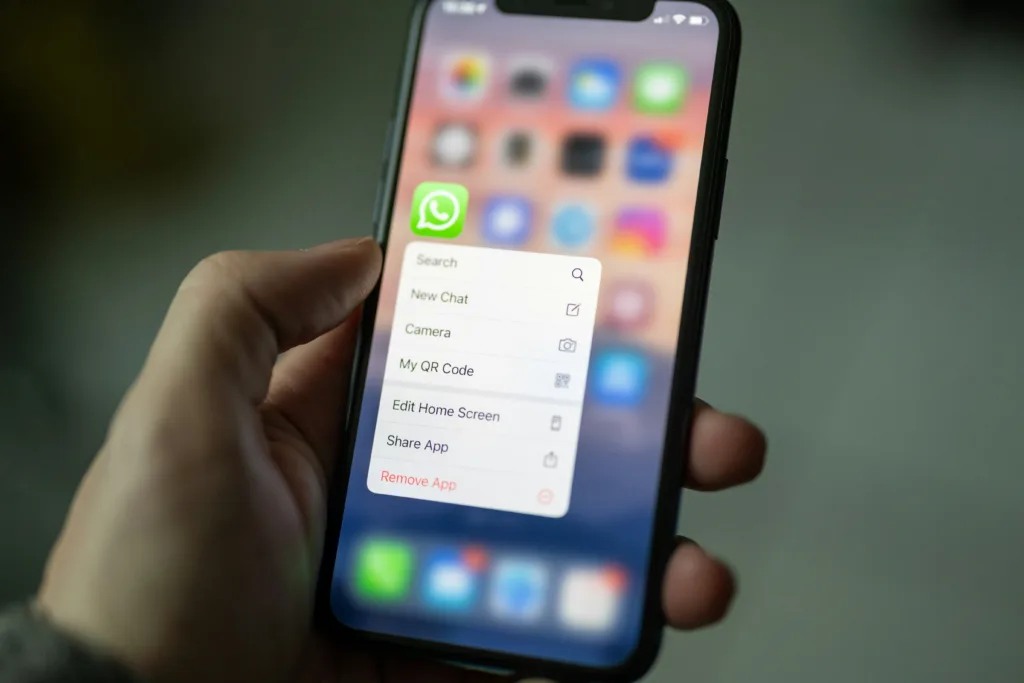
Accidentally deleting an important WhatsApp conversation can be stressful, especially if you never enabled Google Drive or iCloud backups. Whether it’s an important work discussion, family photos, or personal messages, the first question most people ask is: Can deleted WhatsApp messages be recovered without a backup?
The honest answer is sometimes—but not always.
Unlike many websites that promise “100% recovery” using third-party apps, WhatsApp doesn’t provide a built-in method to recover permanently deleted messages when no backup exists. Recovery depends on factors such as how the messages were deleted, whether local data still exists, and if any linked devices or exported chats still contain the conversation.
This guide explains what is realistically possible, which recovery methods are safe, and when the messages are unfortunately gone for good.
Can You Recover WhatsApp Messages Without a Backup?
Before trying any recovery method, it’s important to understand how WhatsApp stores data.
If no backup exists and the deleted chat has already been overwritten, recovery is generally not possible.
However, you may still have options if:
- The chat exists on another linked device.
- The conversation was exported previously.
- The other person still has the messages.
- Local data hasn’t yet been overwritten (Android in limited situations).
Being realistic from the beginning saves time and helps you avoid apps that make false promises.
Method 1: Check Archived Chats First
Sometimes users accidentally archive a conversation instead of deleting it.
Open WhatsApp and check the Archived section.
If the chat is there, simply move it back to your main chat list.
This takes only a few seconds and is often overlooked.
Method 2: Ask the Other Person to Export the Chat
If the conversation involved another person or a group, the simplest solution may be to ask someone else for the missing messages.
The other participant can:
- Forward important messages.
- Share photos or documents again.
- Export the conversation if appropriate.
Although this doesn’t technically recover deleted data from your device, it often restores the information you actually need.
Method 3: Check Linked Devices
If you use WhatsApp Web or Linked Devices, some recently synced conversations may still be accessible depending on when the deletion occurred.
Open your linked device and verify whether the required chat is still visible.
If the chat has already synchronized the deletion across devices, recovery won’t be possible through this method.
Method 4: Look for Exported Chats
Many users export important WhatsApp conversations before changing phones or clearing storage.
Search your device for:
- Exported TXT files.
- Shared email attachments.
- Cloud storage folders.
- Download directories.
You may discover that an earlier copy of the conversation still exists.
Method 5: Check Photos, Videos, and Documents
Even if text messages cannot be recovered, media files may still exist.
Look in:
- Phone Gallery
- Google Photos
- Apple Photos
- File Manager
- Downloads folder
Documents shared through WhatsApp may also remain stored locally even after the conversation has been deleted.
If you’ve received large PDF files through WhatsApp for study or work, our How to Use AI to Summarize Large PDF Documents Instantly (Free & No Signup) guide can help you review those documents more efficiently once you’ve recovered them.
Don’t Trust “100% Recovery” Apps
Searching online often reveals dozens of apps claiming they can recover permanently deleted WhatsApp messages without a backup.
Be cautious.
Many of these apps:
- Cannot recover deleted WhatsApp databases.
- Display misleading advertisements.
- Request unnecessary permissions.
- Collect personal information.
- Require paid subscriptions without delivering results.
If an app promises guaranteed recovery without explaining its technical limitations, it’s best to avoid it.
Before Trying Anything Risky
Avoid repeatedly installing recovery software or factory resetting your phone immediately after losing messages.
Every major change increases the chance of overwriting data that might still be recoverable in limited situations.
Instead, understand what recovery options remain before taking further action.
Method 6: Restore From an Older Local Backup (Android Only)
Unlike iPhones, some Android devices store local WhatsApp backups for a limited period. If one of these backups was created before the messages were deleted, you may be able to restore it.
Keep in mind:
- This method works only if a suitable local backup still exists.
- Restoring an older backup may remove newer chats received after that backup was created.
- The availability of local backups depends on your device and WhatsApp version.
Before restoring anything, make sure you understand what data you might lose by replacing your current chat history.
Method 7: Check Whether a Cloud Backup Already Exists
Many users believe they never enabled backups, only to discover that automatic backups were turned on months earlier.
Check whether a backup is available:
- Android: Google Drive
- iPhone: iCloud
If a backup created before the messages were deleted exists, reinstalling WhatsApp and restoring from that backup may recover the missing chats.
Remember that only backups created before deletion can restore deleted conversations.
Method 8: Recover Shared Media From Cloud Services
Even if chat messages cannot be recovered, your shared media might still exist elsewhere.
Check services such as:
- Google Photos
- Apple Photos
- OneDrive
- Dropbox
- Google Drive
If automatic photo backup was enabled, images and videos received through WhatsApp may still be available even though the chat itself has been deleted.
Also search your phone’s Downloads folder and File Manager for documents that were saved manually.
Method 9: Accept When Recovery Is No Longer Possible
This is the hardest reality to accept, but it’s an important one.
If:
- No Google Drive or iCloud backup exists,
- No usable local backup is available,
- The deleted database has already been overwritten,
- The other participant no longer has the messages,
then the deleted conversation is generally not recoverable.
No legitimate application can recreate data that no longer exists on the device or in a backup.
Being aware of this limitation can help you avoid spending money on recovery tools that cannot deliver what they promise.
How to Protect Your WhatsApp Chats in the Future
The easiest way to avoid permanent data loss is to enable automatic backups before a problem occurs.
Consider these best practices:
- Turn on automatic daily or weekly backups.
- Verify that Google Drive or iCloud backups are completing successfully.
- Keep enough cloud storage available for future backups.
- Export important work or legal conversations separately.
- Save critical documents outside WhatsApp after receiving them.
A few minutes spent configuring backups today can prevent hours of frustration later.
Common Mistakes to Avoid
Many users accidentally reduce their chances of recovery by acting too quickly.
Avoid these common mistakes:
- Factory resetting your phone immediately after deleting chats.
- Installing multiple “WhatsApp recovery” apps from unknown developers.
- Granting unnecessary permissions to third-party recovery software.
- Assuming every deleted message can be recovered.
- Reinstalling WhatsApp before checking whether a usable backup actually exists.
- Ignoring existing cloud backups because you believe none were enabled.
Following a careful recovery process gives you the best chance of retrieving important information.
For official guidance on backups and chat restoration, visit the WhatsApp Help Center.
⚡ TechularZtrix Scan
📌 Bottom Line
Recovering deleted WhatsApp messages without a backup is possible only in specific situations. If no local or cloud backup exists and the data has been overwritten, recovery is generally not possible. Be cautious of apps that promise guaranteed results.
📈 Why It Matters
WhatsApp conversations often contain important personal memories, work discussions, documents, and media. Understanding the limits of data recovery helps you make informed decisions and avoid scams.
🌍 India Reality Check
WhatsApp is one of the most widely used messaging apps in India for personal communication, education, and business. Enabling automatic backups is one of the simplest ways to protect valuable conversations from accidental loss.
🔍 What Happens Next
WhatsApp continues to improve backup reliability and account security, but deleted messages still depend on available backups for recovery. Regularly checking your backup status remains the best long-term protection against permanent data loss.